
GroupX - Menubar Browser

Discover how GroupX - Menubar Browser optimizes your macOS workflow. Read our review of this lightweight, efficient utility for fast web access.
A Smarter Way to Browse on macOS
For many Mac users, the constant back-and-forth between full-sized browser windows and active workspaces is a persistent productivity killer. GroupX - Menubar Browser by Innovatech Solutions LLC offers a clever remedy to this workflow disruption. By embedding a fully functional, lightweight web browser directly into your macOS menu bar, this utility ensures that your most-needed web resources are always just a single click away, without cluttering your desktop.
Practical Workflows: What You Can Actually Do with It
Unlike standard browsers that demand dedicated screen real estate, this menu bar companion is built for rapid, contextual tasks. Here is how you can integrate it into your daily routine:
- Streamline Reference Material: If you are a developer, you can keep API documentation or code snippets open in the menu bar. Instead of switching spaces, just click the menu icon, grab your code, and return to your IDE instantly.
- Monitor Real-Time Dashboards: Marketers and system administrators can keep analytics portals, server monitors, or social feeds active in background tabs, checking status updates in seconds.
- Organize Creative Assets: Designers can compile cloud-based design libraries, color palette generators, and stock assets into dedicated spaces for instant retrieval.
Key Features of GroupX - Menubar Browser
The application is packed with features designed to make micro-browsing as seamless as possible:
One-Click Tab Groups
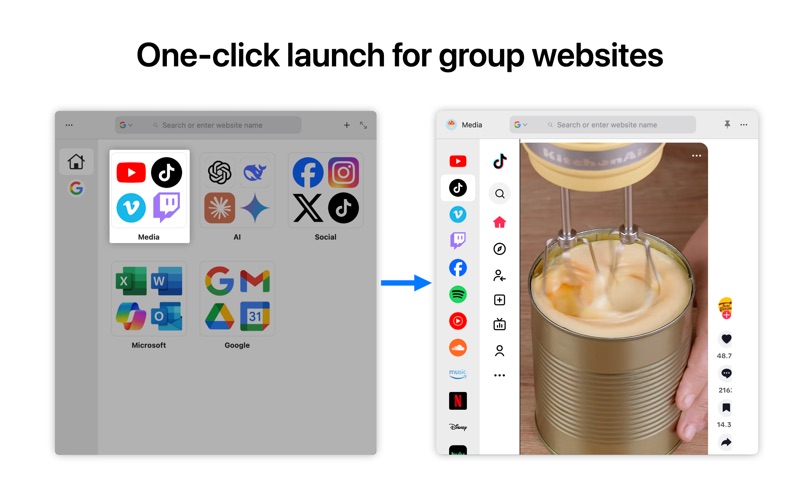
The standout feature of GroupX - Menubar Browser is its robust tab group management. You can bundle related URLs together under custom categories like "Work," "Finance," or "Social." A single click launches every site in the group simultaneously, saving you from manual bookmark clicking.
Session Memory and Auto-Restore
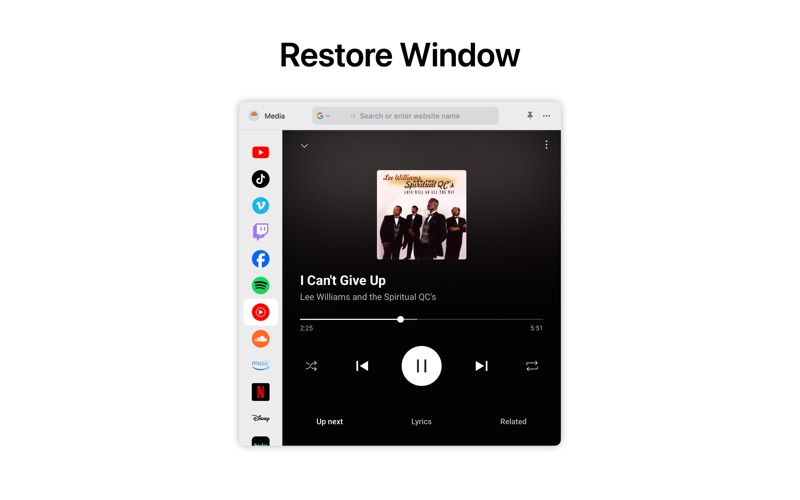
You do not have to worry about losing your place when you close the interface. The app automatically remembers your active tabs and their exact state. When you reopen a tab group, it restores your session precisely where you left off, eliminating redundant loading times.
Privacy-Focused Security
Because your menu bar often houses sensitive personal or corporate data, the browser includes an auto-lock safety feature. You can set a custom inactivity timer that automatically locks your tabs, protecting your active sessions from prying eyes if you step away from your Mac.
Is It Right for Your Workspace?
If you find yourself constantly distracted by open browser tabs or frustrated by the friction of window switching, this utility is a highly effective solution. It is lightweight, resource-efficient, and respects the clean aesthetic of native macOS environments. To experience this streamlined workflow firsthand, you can find the application available on the official Mac App Store.